Which environment?
| Environment | When | Open |
|---|---|---|
| Windows PowerShell | Now, without a VM | Start -> PowerShell |
| Arch cyberlab | When the Arch VM is running | Start_cyberlab_Arch.bat -> terminal in GNOME |
Exercise 1: Where am I?
Both
Goal: Find out where you are, and move around.
Do this
- a) Show the current directory
- b) List the files in the folder
- c) Go up one level
- d) Go to the home directory
Answer key
| Step | PowerShell | Arch |
|---|---|---|
| a) | pwd / Get-Location | pwd |
| b) | dir / ls | ls / ls -la |
| c) | cd .. | cd .. |
| d) | cd ~ | cd ~ |
Exercise 2: Make a practice folder
Both
Goal: Create a safe folder to practice in.
Do this
- a) Go to Desktop / home
- b) Create
terminal-practice - c) Create the subfolders
notesanddata - d) Confirm with
dir/ls
Answer key
| Step | PowerShell | Arch |
|---|---|---|
| a) | cd ~\Desktop | cd ~ |
| b)-c) | New-Item -ItemType Directory -Force -Path terminal-practice\notes, terminal-practice\data | mkdir -p ~/terminal-practice/{notes,data} |
| d) | cd terminal-practice | dir | cd ~/terminal-practice | ls |
Exercise 3: Create a file and read it
Both
Goal: Write, read, and append text in a file.
Do this
- a) Create
notes/hello.txtwith one line - b) Show the contents
- c) Append one more line (without deleting)
Answer key
| Step | PowerShell | Arch |
|---|---|---|
| a) | "text" | Set-Content .\notes\hello.txt | echo "text" > .../hello.txt |
| b) | type .\notes\hello.txt | cat .../hello.txt |
| c) | "Line 2" | Add-Content .\notes\hello.txt | echo "Line 2" >> .../hello.txt |
Exercise 4: Copy, move, delete
Both - only inside terminal-practice
Goal: Copy, rename, and delete safely.
Do this
- a) Copy
hello.txttodata/hello-copy.txt - b) Rename the copy:
hello-archive.txt - c) Create and delete
data/delete-me.txt
Answer key
| Step | PowerShell | Arch |
|---|---|---|
| a) | Copy-Item .\notes\hello.txt .\data\hello-copy.txt | cp ~/terminal-practice/notes/hello.txt ~/terminal-practice/data/hello-copy.txt |
| b) | Move-Item .\data\hello-copy.txt .\data\hello-archive.txt | mv .../hello-copy.txt .../hello-archive.txt |
| c) | "x" | Set-Content .\data\delete-me.txt | Remove-Item .\data\delete-me.txt | echo x > .../delete-me.txt | rm .../delete-me.txt |
Avoid rm -rf / Remove-Item -Recurse outside the practice folder.
Exercise 5: Pipe and search
Arch recommended
Goal: Pass output along and filter it.
Do this
- a) List files recursively under
terminal-practice - b) Filter lines containing
hello - c) Count the matches
Answer key
| Step | PowerShell | Arch |
|---|---|---|
| a)-b) | Get-ChildItem .\ -Recurse -File | Where-Object Name -match 'hello' | find ~/terminal-practice -type f | grep hello |
| c) | (...).Count | ... | wc -l |
Exercise 6: Permissions
Arch only
Goal: See and change who can read a file.
Do this
- a) Create
notes/secret.txt - b) Show permissions with
ls -l - c) Set
chmod 600, check again - d) (Optional)
chmod 644
Answer key
| Step | Arch |
|---|---|
| a) | echo "..." > ~/terminal-practice/notes/secret.txt |
| b) | ls -l .../secret.txt |
| c) | chmod 600 ... -> expect -rw------- |
| d) | chmod 644 ... |
Exercise 7: Packages
Arch only
Goal: Update, search, and optionally install.
Do this
- a) Update the package database
- b) Search for
tree - c) (Optional) Install
tree
Answer key
| Step | Arch |
|---|---|
| a) | sudo pacman -Sy |
| b) | pacman -Ss tree |
| c) | sudo pacman -S tree |
Ubuntu/Kali later: sudo apt update / sudo apt install tree.
Exercise 8: Network - ping
Both
Goal: Check network connectivity.
Do this
- a) Ping
1.1.1.1 - b) Ping
example.com - c) Stop with Ctrl+C if it loops
Answer key
| Step | PowerShell | Arch |
|---|---|---|
| a) | ping 1.1.1.1 | ping -c 4 1.1.1.1 |
| b) | ping example.com | ping -c 4 example.com |
| c) | Ctrl+C | Ctrl+C |
Exercise 9: IP address
Both
Goal: Find your IPv4 address.
Do this
- a) Show network interfaces / IP
- b) Find IPv4 (often
192.168....or10....)
Answer key
| Step | PowerShell | Arch |
|---|---|---|
| a) | ipconfig | ip addr / ip -4 addr show |
| b) | Look at the IPv4 lines | Look at inet lines |
Exercise 10: Checksum
Both
Goal: See that changing a file changes SHA256.
Do this
- a) Compute SHA256 for
hello.txt - b) Change the file, compute again
Answer key
| Step | PowerShell | Arch |
|---|---|---|
| a) | Get-FileHash .\notes\hello.txt -Algorithm SHA256 | sha256sum .../hello.txt |
| b) | Add-Content ... + hash again | echo "change" >> ... + hash again |
Exercise 11: History and help
Both
Goal: Find old commands and read help.
Do this
- a) Show command history
- b) Open help for one command
Answer key
| Step | PowerShell | Arch |
|---|---|---|
| a) | Get-History | history | tail -20 |
| b) | Get-Help Get-ChildItem | man ls (quit with q) |
Exercise 12: Mini challenge
Optional
Goal: Create notes/report.txt using only the terminal.
Do this
The file should contain:
- a) Today's date
- b) Username
- c) Hostname
- d) Number of files under
terminal-practice
Answer key
# Arch
{ date; whoami; hostname; find ~/terminal-practice -type f | wc -l; } > ~/terminal-practice/notes/report.txt

# PowerShell
@(Get-Date; $env:USERNAME; $env:COMPUTERNAME; (Get-ChildItem .\ -Recurse -File).Count) | Set-Content .\notes\report.txt
Checklist
- Exercises 1-4 (navigation + files)
- Exercise 5 (pipe)
- Exercises 6-7 when Arch is running
- Exercises 8-10 (network + checksum)
- Next: Kali + Ubuntu in VirtualBox
Windows literacy and terminal commands for lab work - not course theory.
Windows basics
Type short answers (shortcuts or keywords). Hint after two tries, answer after three.
Basics of your PC: where things live, what files and settings mean, and how to find your way around Windows.
...
Choose a track
Type the command in the console. Mistakes are fine - hint after two tries, answer after three.
Environment
...
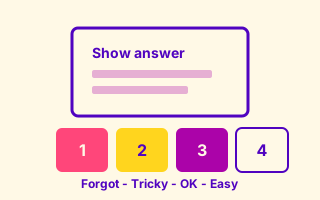
Rate each card and the app brings back what you miss until you know it. Progress stays on this device.
How do you want to study?
Ready to review today
0 cards waiting
Pick a session below. Your progress stays on this device.
0 / 5 setup steps left.
Nice streak! Want a gentle reminder when cards are waiting?
Exam prep
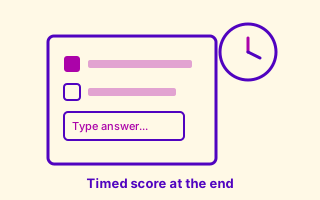
10 mixed questions
Written answers and multiple choice like Canvas. Score at the end - does not change your Practice schedule.
Question
...
Tap or press Space to flip
Answer
ACIT4050 diagrams: NIST CSF wheel, Kill Chain, and MITRE ATT&CK tactic order.
Diagram practice
Drag labels onto the diagram (or tap a chip, then tap a slot). Wrong placements bounce back. Matches ACIT4050 lecture slides.
Hint: Govern is the inner surrounding ring - governance wraps the other five functions.
Place the seven Lockheed Martin stages left to right in attack order.
Place eight MITRE ATT&CK enterprise tactics left to right in attack lifecycle order (study subset).
Lecture summaries
Handwritten notes from ACIT4050, 4280, and 4100 with sources. Open the full page or jump straight to flashcards.